
AI in Excel, Word, and PowerPoint, even with sensitive data
Use Claude's add-ins in your Office apps and let Privatemode answer. What you send stays encrypted in memory while it is processed.
Excel, Word, and PowerPoint
Stay in the apps you use.
The AI runs on Privatemode.
Excel
Questions and edits right in your workbook.
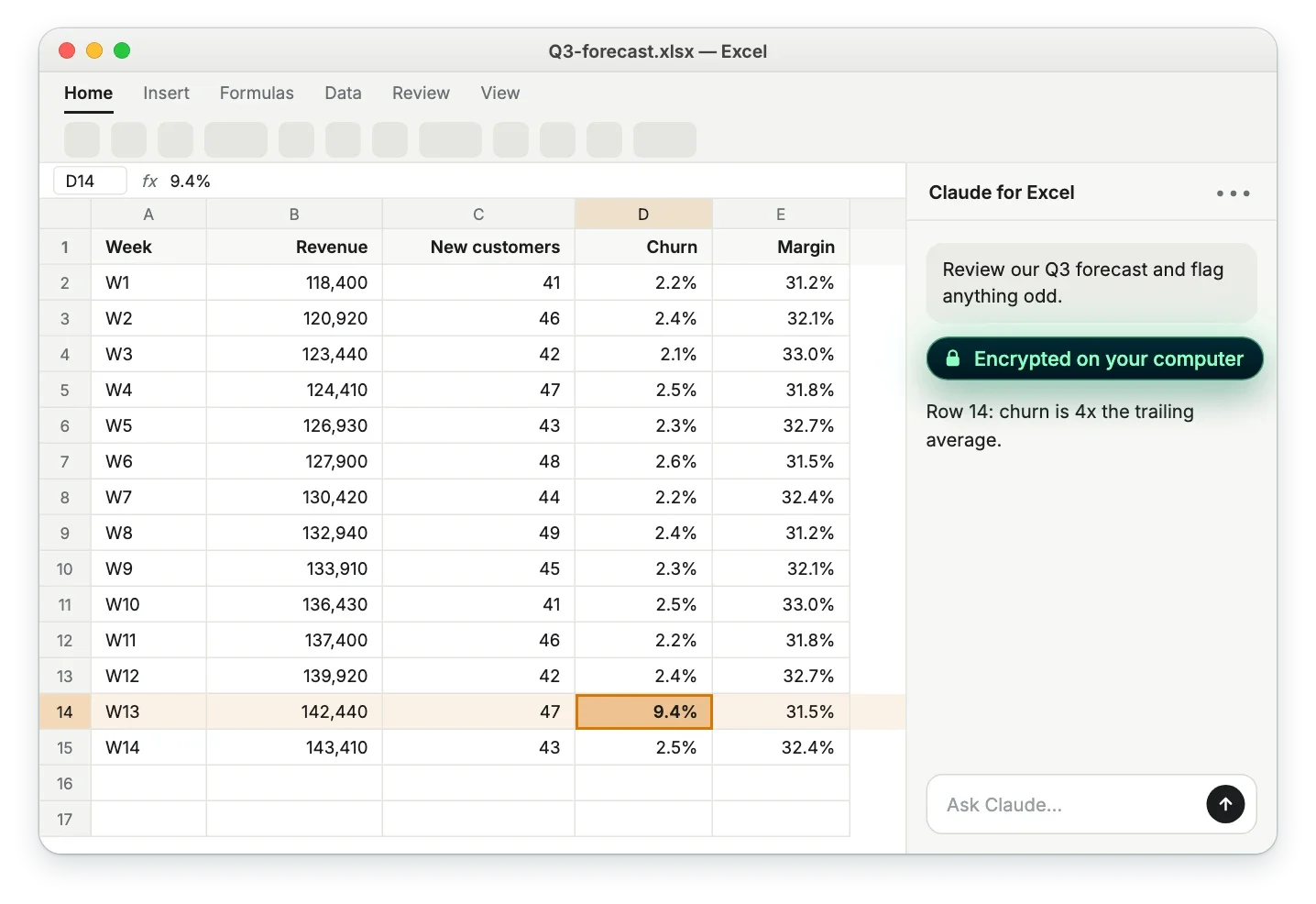
Ask what stands out in a sheet and let the add-in read and edit the cells it needs. Use it for budgets, customer lists, payroll, and other data you would not paste into a public chatbot.
Word
Review and revise documents.
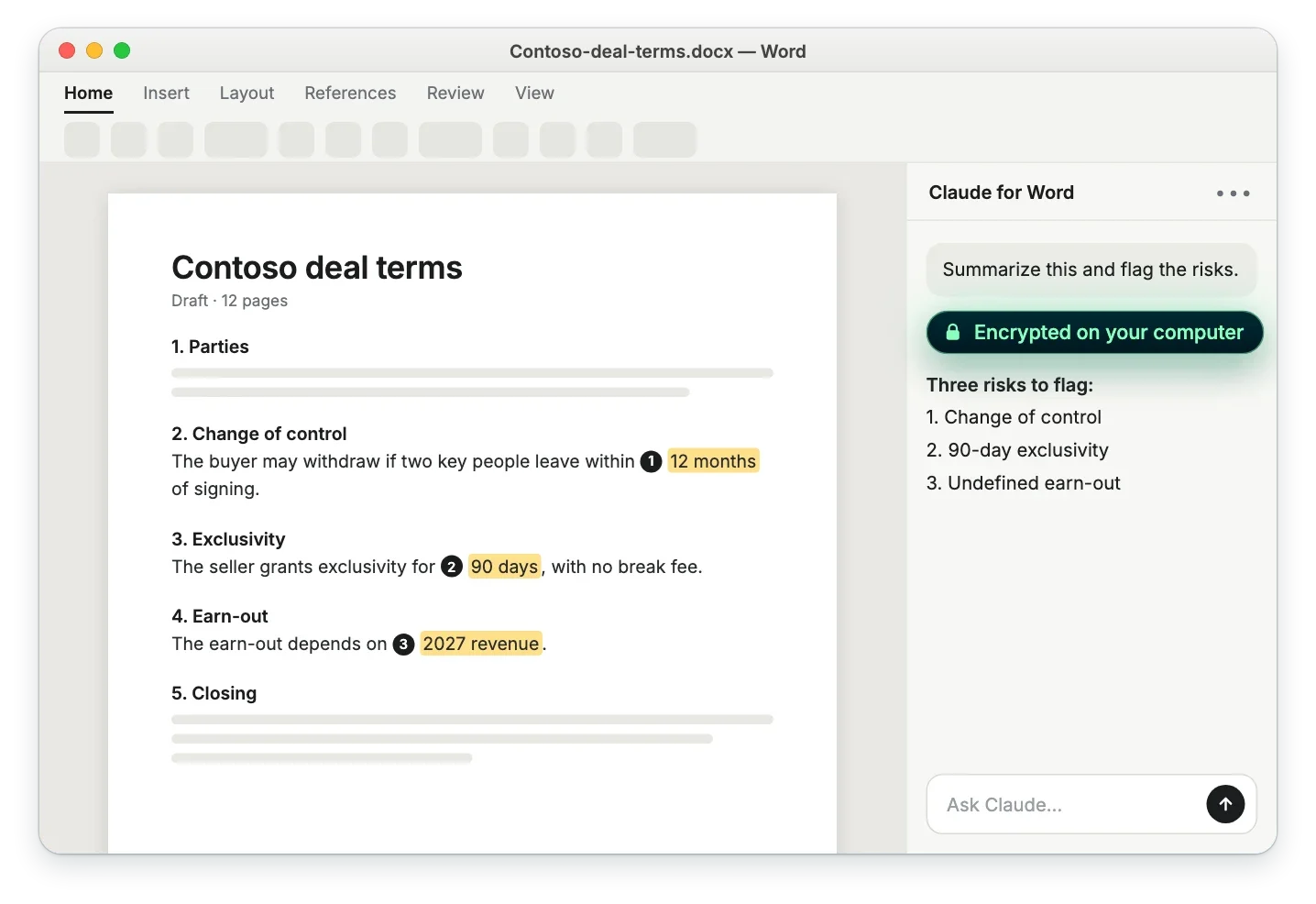
Ask about the open document and let the add-in revise the text. Use it for contracts, HR letters, board papers, and drafts that are not meant for a public AI service.
PowerPoint
Shape slides with AI.
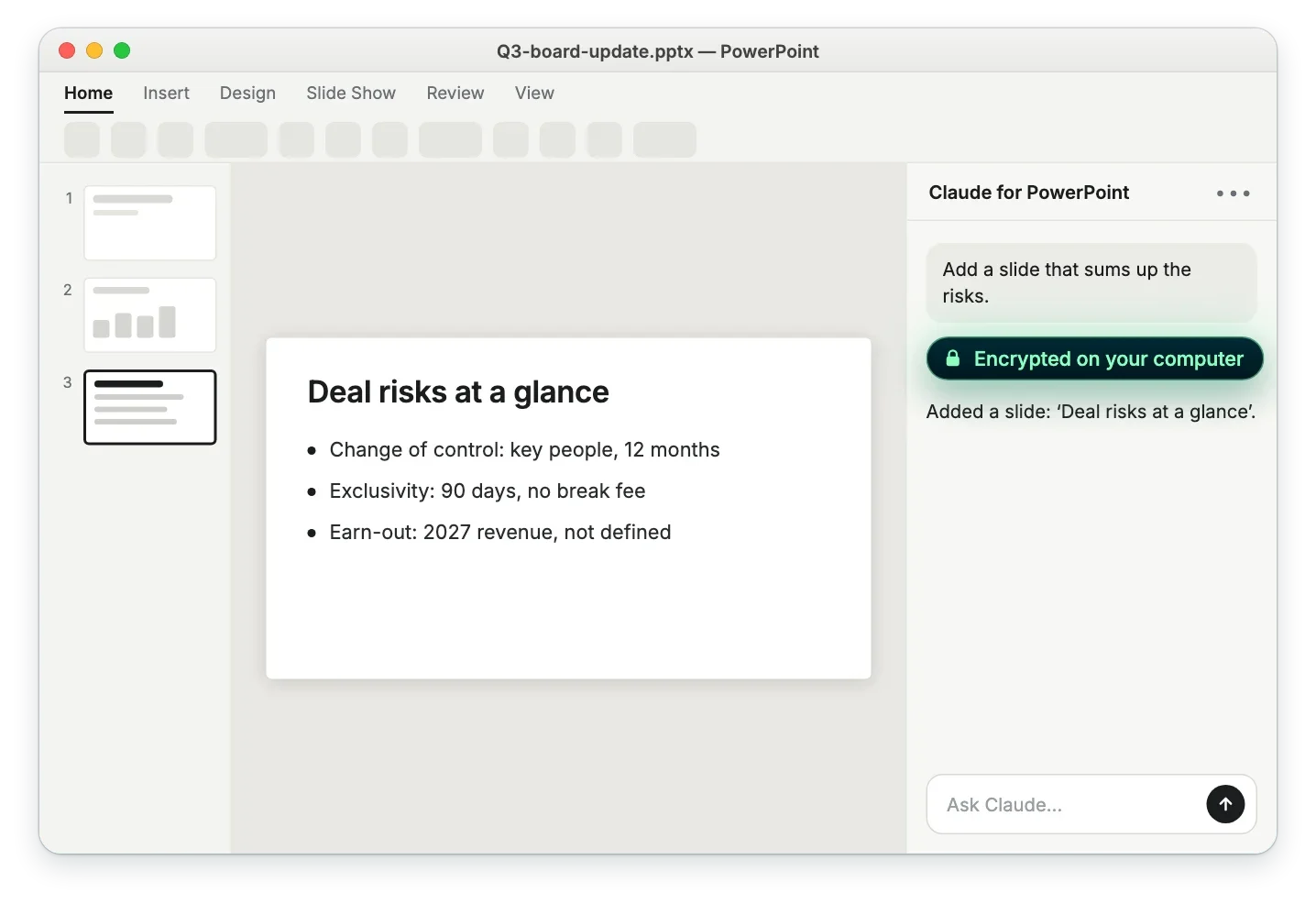
Ask about your deck and let the add-in edit slides and wording. Use it for board updates, strategy papers, and pitch drafts before they are final.
Confidential computing
Claude's add-ins in front,
Confidential AI behind.

The add-ins talk to Desktop Proxy
In the add-in's sign-in, you choose "Cloud provider or gateway" and enter the local address of Desktop Proxy on your computer. From then on, the add-in sends its requests there instead of to Anthropic, and Privatemode's open models answer.

Desktop Proxy verifies the service before it sends anything
On every session, it verifies the remote attestation report of the Privatemode service before it sends data. Attestation makes the deployment auditable, so you do not have to take our word for it.
What you send stays encrypted in memory
Desktop Proxy encrypts every request, including the cells, text, or slides the add-in includes, before it leaves your computer. Privatemode decrypts it only inside a hardware-isolated environment whose memory stays encrypted. The infrastructure provider and Edgeless Systems have no access by design, and Privatemode never trains on your data.
What to expect
What the add-ins can do
through Privatemode.
What works
Chat with the open workbook, document, or deck, and let the add-in read and edit cells, formulas, slides, and text.
What is not available
Anthropic lists connectors, skills, working across apps, dictation, and file uploads as unavailable through a gateway for now. Web search and code execution are not part of Privatemode's API.
Open models, not Claude
The add-ins are Claude's, the answers come from open-weight models in Privatemode's model list. Results differ from Claude, so try it with your own files.
Set up in minutes
A few minutes in Desktop Proxy, then connect each add-in once. Free tier available.
Desktop Proxy connects your tools to Confidential AI
What it does
The proxy, as a desktop app
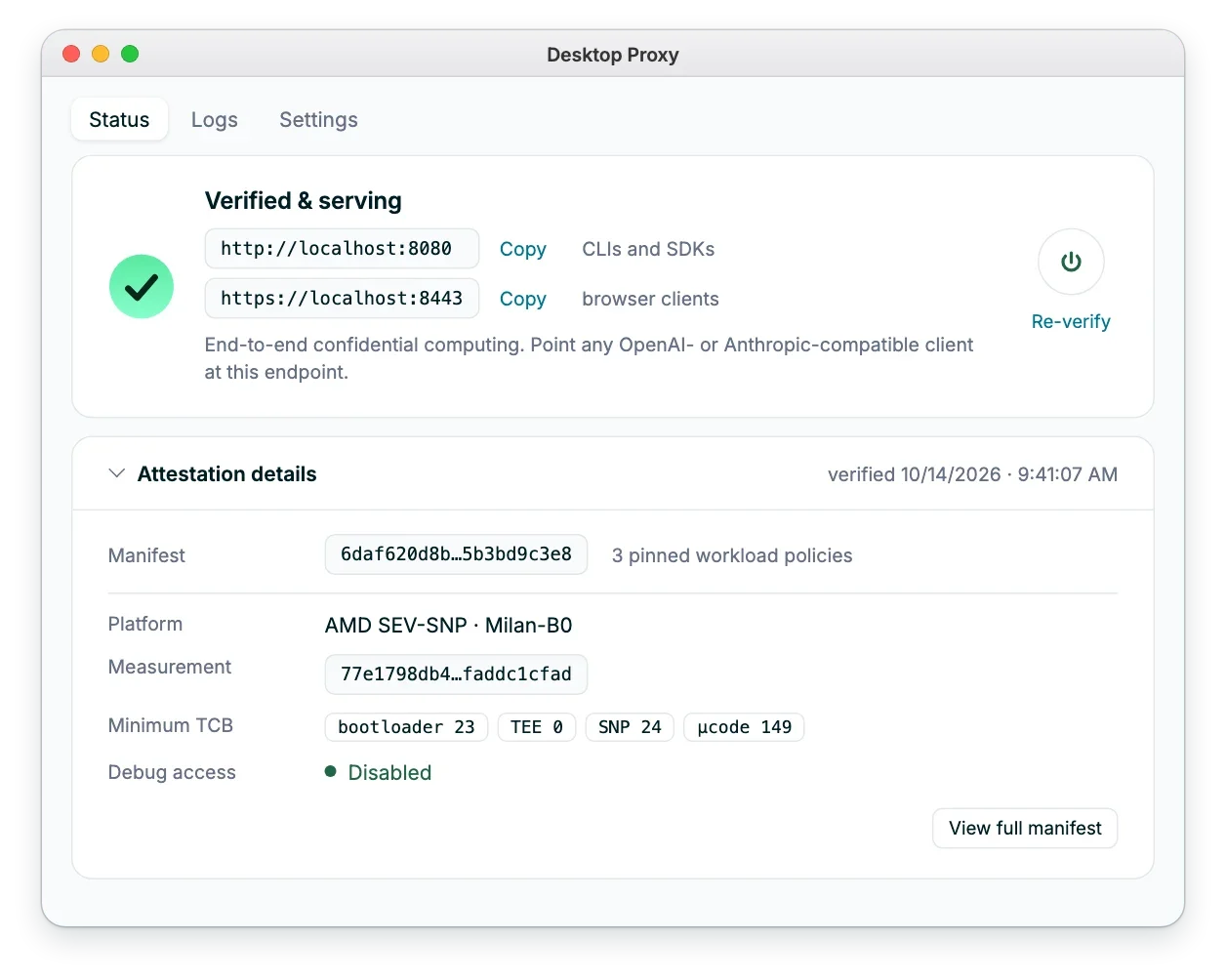
Desktop Proxy does the job of the Docker Proxy in a desktop app, with a window instead of a terminal. It verifies Privatemode, encrypts your requests, and serves them on a local address, so any OpenAI- or Anthropic-compatible tool on your computer can use Confidential AI without code changes. Your tools never see your API key.
What you see
Status, logs, and settings in one place
The status page shows that the app has verified Privatemode, with the attestation details and the local addresses to point your tools at. Settings cover your API key, the extra options browser-based tools like the Office add-ins need, and model aliases for tools that expect fixed model names. Available for macOS and Windows. Download it. Prefer a container or a server? Use the Docker Proxy.
Details
Frequently asked questions about Office with Privatemode
With a Claude account, the add-in sends your cells, text, and slides to the AI provider, where they are processed in plaintext. Through Privatemode, they are encrypted on your computer and processed in a hardware-isolated environment whose memory stays encrypted. In return, open-weight models answer instead of Claude's models, and a few features that need a Claude account are not available.
Want to see Privatemode in action?
We're happy to show you around and give an overview of what's possible.