
Confidential AI with Privatemode and PrivateGPT
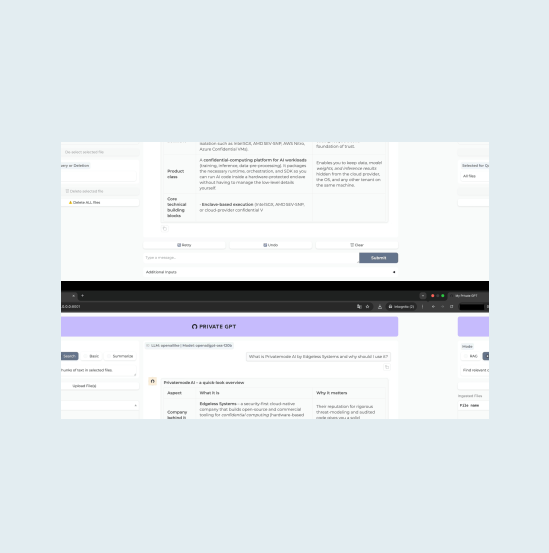
PrivateGPT is the open-source API layer that turns local models into production AI applications, with a RAG pipeline, citations, and tools. With Privatemode as the model behind it, your documents are processed by open-weight models in an environment whose memory stays encrypted.

The challenge
Your pipeline is local, the model may not be
PrivateGPT retrieves, chunks, and cites on infrastructure you run. The model that answers is whichever endpoint you configure, and with a conventional provider the retrieved passages, citations, and tool calls are processed in plaintext on that provider's servers.
The solution
One proxy for documents and chat
PrivateGPT takes separate endpoints for chat and for embeddings, and both point at the Privatemode proxy, so indexing your documents and answering questions are protected alike. The proxy verifies the service through remote attestation and encrypts each request before it leaves your machine.
Why use Privatemode AI with PrivateGPT?
Documents and chat both protected
End-to-end confidentiality
Free tier available
How to set up Privatemode in PrivateGPT
Get your API key
If you don't have a Privatemode API key yet, you can generate one for free here.
Run the Privatemode proxy
The proxy runs locally and handles two things: it verifies the Privatemode service through remote attestation, and it encrypts all data before it leaves your machine. PrivateGPT itself listens on port 8080, so publish the proxy on port 8090 to keep the two apart. Start it with your API key using Docker or the native binary.
Install PrivateGPT
Install PrivateGPT with Homebrew on macOS, or with uv on Linux and Windows. PrivateGPT does not run models itself; it connects to any OpenAI-compatible server, which is exactly what the proxy is. See the official quickstart for the current commands.
Point both base URLs at the proxy
OPENAI_API_BASE selects the server that answers, OPENAI_EMBEDDING_API_BASE the one that computes embeddings during ingestion. Set both to the Privatemode proxy so documents are protected on the same terms as questions. The proxy holds your real key, so any placeholder works for OPENAI_API_KEY. The proxy lists chat, embedding, and speech models under one endpoint, so name the defaults explicitly: PGPT_LLM_DEFAULT for the chat model and PGPT_EMBEDDING_DEFAULT for the embedding model.
Start PrivateGPT
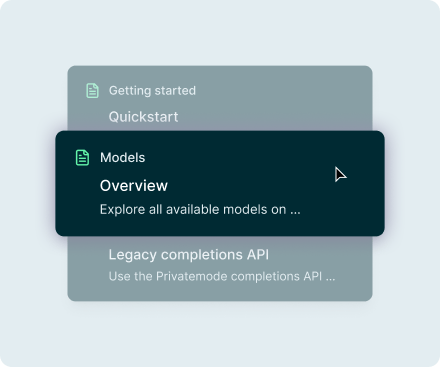
PrivateGPT discovers the models the proxy exposes on /v1/models, so there is no model list to maintain, and the defaults you set above pick glm-latest for answers and qwen3-embedding-4b for embeddings. You can switch the chat model to gpt-oss-120b or glm-flash-latest in the Workbench. See the model overview for what is available.

Done!
Open http://localhost:8080/ui in your browser. You can now upload documents, ask questions about them, and get cited answers from a state-of-the-art model, with every document chunk protected end to end by confidential computing.
Frequently asked questions about using Privatemode with PrivateGPT
No. PrivateGPT connects to any OpenAI-compatible server, so switching to Privatemode is a handful of environment variables: point OPENAI_API_BASE and OPENAI_EMBEDDING_API_BASE at the proxy and name the default chat and embedding models. Your existing document ingestion pipeline, RAG configuration, and UI remain unchanged.
Your agent remembers everything. Your model provider shouldn't see it.

Your gateway routes every team's prompts. Your model provider shouldn't read them.

Want to look for yourself?