
Integrating Privatemode AI with Zed
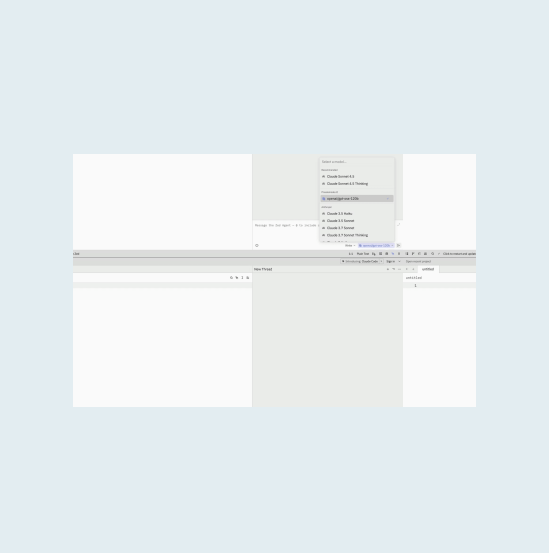
Zed's Agent Panel and Inline Assistant both reason over your code. Pointing them at Privatemode keeps those features and swaps the model for open-weight ones running in a hardware-isolated environment whose memory stays encrypted.

The challenge
Zed's AI features send your code to a provider
Zed's Agent Panel and Inline Assistant read your code and send it to the configured provider, and with a conventional one it is processed in plaintext on that provider's servers. Some developers have moved to forks such as Zedless that remove the AI features entirely, trading capability for control.
The solution
Keep the features, change the provider
Zed lets you add an OpenAI-compatible provider in its settings, pointed at the Privatemode proxy on your machine. The models behind it support tool calling, so the Agent Panel keeps working as before. The proxy verifies the service through remote attestation and encrypts each request before it leaves.
Why use Privatemode AI with Zed?
Agent Panel keeps working
End-to-end confidentiality
Free tier available
How to set up Privatemode in Zed
Get your API key
If you don’t have a Privatemode API key yet, you can generate one for free here.
Run the Privatemode proxy
The proxy verifies the integrity of the Privatemode service using remote attestation. The proxy also encrypts all data before sending and decrypts data it receives.
Configure Zed to use Privatemode
Open Zed and go to Settings (Cmd+,). Zed natively supports OpenAI-compatible endpoints, so add Privatemode as a custom provider in your settings.json under language_models.openai_compatible, with api_url pointing at the proxy's /v1 endpoint. Then enter any placeholder as the API key in the Agent Panel settings (command agent: open settings) or set the PRIVATEMODE_API_KEY environment variable: the proxy is already holding your real key.
capabilities.tools is what lets the Agent Panel edit files and run commands rather than only chat.
Walk through our interactive demo
Frequently asked questions about using Privatemode with Zed
The Agent Panel and the Inline Assistant. Privatemode is added as an OpenAI-compatible provider, which Zed supports natively, so both use it once it is configured in settings.json. Edit Prediction is configured separately under Zed's edit_predictions setting and is not covered by this setup.
Your agent remembers everything. Your model provider shouldn't see it.

Your gateway routes every team's prompts. Your model provider shouldn't read them.

Want to look for yourself?