
Integrating Privatemode AI with Nanobrowser
Nanobrowser automates the web with a Planner that decides and a Navigator that acts, running in your own browser. Pointing both at Privatemode keeps what they read encrypted in memory even while it is processed.

The challenge
The agent works inside your logged-in session
Nanobrowser works inside your own browser, so the pages it reads include your logged-in accounts: bank dashboard, health portal, admin console, inbox. It sends that content to the model to decide what to do next. With a conventional provider, all of it is processed in plaintext on that provider's servers.
The solution
Both agents, one confidential provider
Nanobrowser lets you set a model for its Planner and its Navigator separately, and both can use the Privatemode proxy on your machine. The proxy encrypts each request before it leaves and the model runs in a hardware-isolated environment whose memory stays encrypted.
How to set up Privatemode in Nanobrowser
Get your API key
If you don't have a Privatemode API key yet, you can generate one for free here.
Run the Privatemode proxy
The proxy verifies the integrity of the Privatemode service using confidential computing-based remote attestation. The proxy also encrypts all data before sending and decrypts data it receives.
Add Privatemode as a custom provider in Nanobrowser
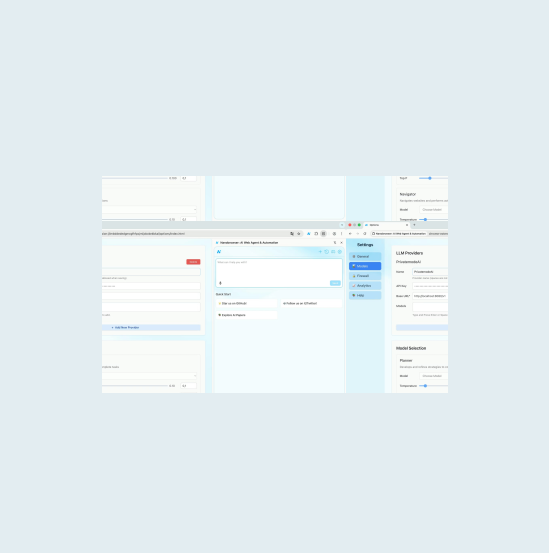
Install Nanobrowser from the Chrome Web Store and open its Settings panel. Add a custom OpenAI-compatible provider with the base URL set to your Privatemode proxy endpoint (http://localhost:8080/v1). Assign it to both the Planner and Navigator agents.
Walk through our interactive demo
Frequently asked questions about using Privatemode with Nanobrowser
Yes. Nanobrowser lets you assign different LLM providers to each agent. Once you add Privatemode as a custom OpenAI-compatible provider, you can assign it to both the Planner (which plans web tasks) and the Navigator (which executes browser actions), so all AI requests are encrypted.
Your agent remembers everything. Your model provider shouldn't see it.

Your gateway routes every team's prompts. Your model provider shouldn't read them.

Want to look for yourself?