
Confidential AI workflows with Privatemode and Dify
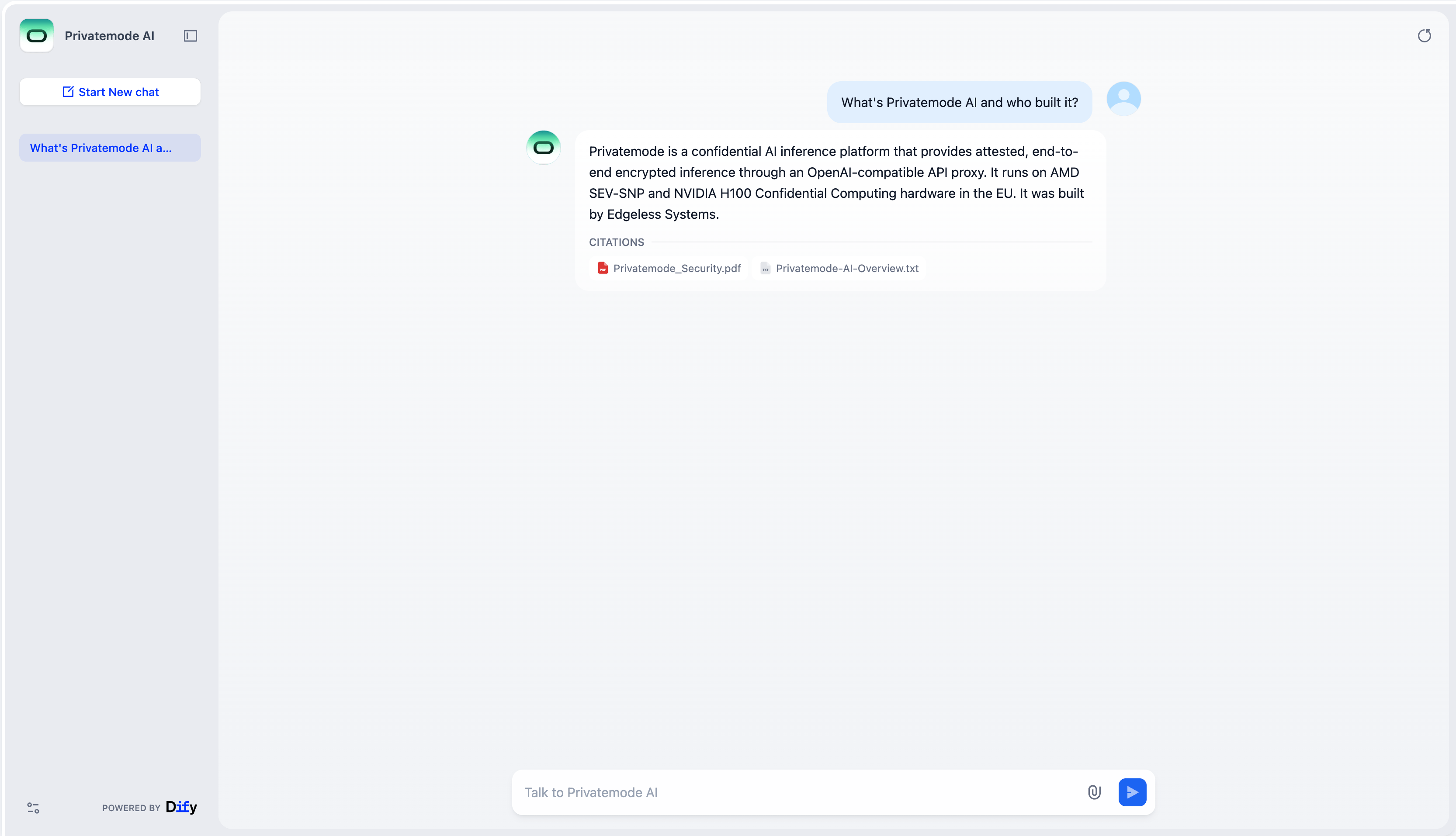
Dify is an open-source platform for building LLM applications. With Privatemode, every inference request is encrypted end to end and processed inside attested and verified confidential computing environments. Documents, embeddings, and conversations are stored on your infrastructure.

Building AI apps in Dify shouldn't mean exposing your data
The challenge
Knowledge bases don't stay on your servers
Dify’s chatbots, agents, and workflows work best with powerful cloud models. With a conventional AI provider, however, prompts and document content used for RAG or embedding generation are available in plaintext during processing on the provider’s infrastructure. Self-hosting Dify does not change this.
The solution
Chat, agents, and RAG, encrypted end to end
The Privatemode proxy runs next to your Dify stack. Before any data leaves your system, the proxy uses remote attestation to verify that the Privatemode service is running in an expected confidential computing environment. Only after successful verification is the data encrypted and sent to that environment. Confidential computing protects the data during processing from both the infrastructure provider and us.
Why use Privatemode AI with Dify?
End-to-end confidentiality
Cloud-grade AI models
Set up confidential AI in Dify in just a few steps
Get your API key
If you do not have a Privatemode API key yet, generate one for free here.
Run the Privatemode proxy
The proxy verifies the integrity of the Privatemode service using confidential computing-based remote attestation. The proxy also encrypts all data before sending and decrypts data it receives.
Deploy Dify
Clone Dify Community Edition and run the given commands. Open http://localhost and create your admin account. All services, including Postgres, Weaviate, and Redis, run locally.
Install the OpenAI-API-Compatible plugin and configure models
In Dify, go to Settings, then Model Provider, then Marketplace, and search for OpenAI-API-Compatible to install it. This plugin handles the connection to Privatemode without any custom code.
Then add three model types in the Model Provider settings, all pointing to http://host.docker.internal:8080/v1:
- LLM: a chat model
- Text Embedding: an embedding model
- Speech-to-Text: a speech-to-text model
Pick your model IDs from the Privatemode model overview. Set the API key to any placeholder value. Authentication is handled by the proxy.

Done!
You have successfully integrated Confidential AI into Dify. Create chatbots, agents, or knowledge bases using the configured models.
Frequently asked questions about using Privatemode with Dify
No. Dify's built-in OpenAI-API-Compatible plugin handles the connection. You configure model names and the base URL, then select the models in Dify apps.
Start building with Dify and Privatemode
Generate your free API key and set up confidential AI in Dify today.
AI in Excel, Word, and PowerPoint, answered inside confidential computing.

Your agent remembers everything. Your model provider shouldn't see it.

Want to look for yourself?