
Integrating Privatemode AI with Open WebUI
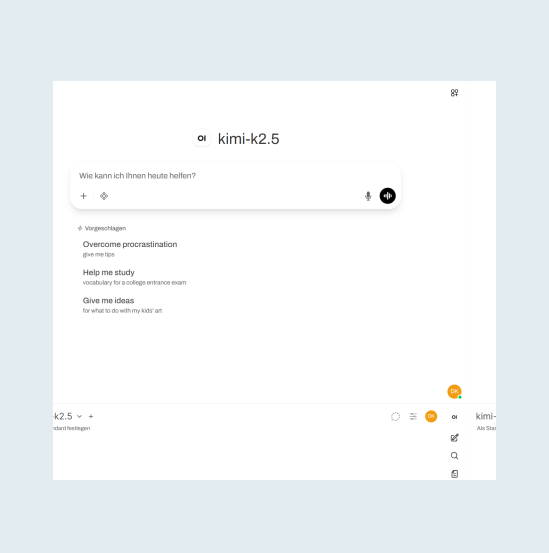
Open WebUI gives a whole team a self-hosted chat interface with groups, permissions, and a document library. One Privatemode connection serves all of it, encrypted before it leaves your network and encrypted in memory while it is processed.

Self-hosting your chat interface shouldn't stop at the model
The challenge
One connection exposes every conversation
Open WebUI runs on your own server, but the moment it calls a conventional cloud LLM, every prompt and response your team sends is processed in plaintext on that provider's servers. Self-hosting the interface does not change that.
The solution
Encrypted before it leaves your network
The Privatemode proxy runs alongside Open WebUI on your own server, as the one connection every chat goes through. The proxy encrypts every request before it leaves, and confidential computing keeps your team's chats encrypted in memory even during processing, so by design neither the infrastructure provider nor we can read them.
How to set up Privatemode in Open WebUI
This tutorial walks you through deploying the Privatemode AI proxy alongside Open WebUI on a server your team can reach over your local network. From the moment a prompt leaves the proxy until the response comes back, traffic is end-to-end encrypted and only decrypted inside the backend's confidential computing environment.
Get your API key
If you don't have a Privatemode API key yet, you can generate one for free here.
Create a Docker network
Both containers communicate over a dedicated bridge network. This keeps the Privatemode proxy off the host network, so it is only reachable by containers you explicitly add to this network.
Start the Privatemode proxy
The proxy performs remote attestation on startup to verify the Privatemode backend, then transparently encrypts all requests before they leave the server.
--sharedPromptCache enables a shared cache across all Open WebUI users, reducing latency on repeated queries.
The -v proxy-logs volume persists the proxy's manifest log, which records the service versions it verified over time. The proxy has no exposed host port: it is reachable only by containers on privatemode-net.
Start Open WebUI
OPENAI_API_BASE_URL points Open WebUI at the proxy using the container name as hostname — no IP address needed. OPENAI_API_KEY can be any non-empty string; the proxy handles authentication to Privatemode using the key from Step 1. The -v open-webui-data volume persists user accounts and chat history across container restarts.

Done!
Open http://your-server:3000 in a browser and create an admin account. Open WebUI auto-discovers available models from the Privatemode proxy. Select a model and start chatting.
Remark: Tool calling via MCP uses the model's native function calling, which is the default since Open WebUI v0.10.0. On older versions, set Function Calling to Native under Settings → Admin → Models → [Model] → Advanced Params.
Frequently asked questions about using Privatemode with Open WebUI
Yes. Open WebUI supports multiple user accounts, admin management and separate chat histories. The shared prompt cache also reduces latency for queries that share common prefixes across users, making team-wide usage more efficient.
AI in Excel, Word, and PowerPoint, answered inside confidential computing.

Your agent remembers everything. Your model provider shouldn't see it.

Want to look for yourself?